 Skip to content
A voice you never want to forget
The way they say your name. The laugh in the middle of a sentence. Memora keeps the sound, not just the picture.

Nothing in your bag yet.
The doorway is still dark. Start with the centrepiece.
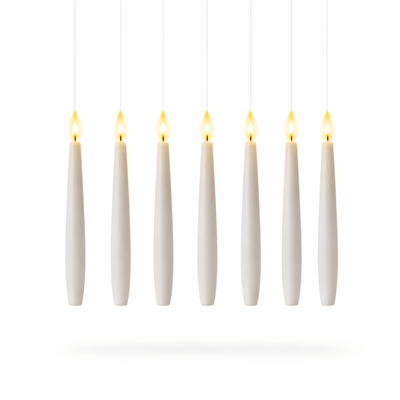 Hexlore – Floating Candles
£26.99
Hexlore – Floating Candles
£26.99 


Christmas gift · Video memory globe
Their voice, their laugh, playing inside the glass.
Colour — Black
Before Christmas
Gently bring your favourite memories to life — glowing right there on your shelf.
Each Memora™ globe is made to play your personal video. Please check your file format and resolution before uploading. For personalised and pre-loaded items, returns are accepted only where the product is unused and in its original condition.
 £39.99
3D preview — the real sphere is sharper and brighter in person.
Nº 06Try before you order
Upload any clip — watch it glow inside the glass, right here.
Stays on your device — nothing is uploaded.
Nº 02AFTER DARK
The way they say your name. The laugh in the middle of a sentence. Memora keeps the sound, not just the picture.
Not buried in a camera roll with 12,000 other files. Glowing on the nightstand, playing the moment you press it awake.
Photos blur, phones break, clouds expire. The sphere keeps your moment sharp, bright and close — for as long as you want to remember.
Nº 03WHO WILL YOU KEEP IT FOR?

Swipe or tap the memories
She's the one who recorded every birthday, every first step, every school play. Now give her the gift of seeing her favourite moments play back — in the palm of her hand.
“I played my daughter's first words and I couldn't stop crying. It felt like she was little again.”
Sarah M., verified buyer
The way they laugh when no one's watching. The quiet morning smile. The silly dance in the kitchen. Hand them a sphere that holds it forever.
“He opened it, saw our wedding vows, and just… sat down. Didn't say a word for a minute. Best gift I've ever given.”
Emma T., verified buyer
They live for the grandkids, and distance makes it harder each year. Slip their favourite little moments into a glowing sphere they can watch whenever they miss them.
“My grandma keeps it by her bed. She says she turns it on every night before she sleeps.”
Jason R., verified buyer
Nº 04REAL SPHERES, REAL ROOMS
Nº 05THREE MINUTES, START TO FINISH
Any clip from your phone — a laugh, a first word, a wedding dance.
Connect the sphere with the included USB cable and drag your file into the VIDEO folder. No app, no account.
The sphere glows and your moment plays inside the glass — with sound, whenever you need it.
30-day returns · Free UK delivery
The quality is simply excellent! The item is very eye-catching and unusual; I bought it as a gift for the birthday boy, and he was delighted. Looks stylish and works as advertised. The only downside is the delivery. The package got lost somewhere along the way and took a long two months to arrive. If you are ordering for a specific date, allow a very large margin of time. There are no complaints about the product itself, it's great!
Excellent product of good quality
It feels like it's of good quality and has very good accessories. I wouldn't hesitate to order it again.
Like a tennis ball, it's quite heavy to be hung on a Christmas tree.
Well packaged and received in perfect condition. Easy to connect using its own WiFi. Very intuitive application. The photos and videos look great. Good quality material. Good memory capacity to store multiple photos and videos. Videos and photos cannot be played at the same time; from the app you choose whether you want it to play downloaded videos or photos. Loop playback mode or random mode. Very happy with the purchase.
Amazing!. Arrived just in time for christmas. Family absolutely love seeing the videos and photos appear on the tree!
The product is actually as described. However, the wifi version is not duo mode, it can only upload pictures thru the app, which is a bit disappointed. The app cannot bulk load the pictures, which is another inconvenience. Overall, the product is great but just not as expected.
The truth is, I was nervous about not knowing the quality of this product, since I ordered it a few days in advance for my girlfriend's gift, but I am surprised, everything is perfect. The connectivity if you buy the wifi version is excellent, fast and efficient. The screen is clear and projects an image with a rememberball effect like in Harry Potter. If you are indecisive about not knowing the quality of the product, you should know that you are paying every penny for what this sphere is worth.
It has arrived and everything is perfect. I consider that it is not easy to connect the device with the mobile, but once you manage it, it's very nice. Actually, the software is not difficult to install, but it was a bit challenging for me because the phone blocks unknown programs for security reasons. But once I got it done, everything was perfect.
Article that is nothing short of fantastic! It looks like a magic ball, while simply uploading any video in MP4 format is preferred. There's no need to perform the conversion as written in the instructions: just connect the ball to a PC or an Android phone and it's recognized as a storage device, and with a simple drag 'n drop, it moves to where you want it.
Delivered quickly. Description understandable. Makes it easy to use. Images and videos are displayed clearly and distinctly.
I bought it as a gift for my girlfriend so we can remember our pets.
Very easy to use and despite the low pixels (480x480) it's a very nice quality. Give it as a gift with films of a loved one and you have guaranteed the most touching present at Christmas.
Received what I expected. The downside is that the rubber band on the stand leaves black marks on the white ball. I've tried uploading images through the app but haven't tried using a cable yet. The ball is packed perfectly! Can be given as a gift right away.
Really beautiful! Very different gift, good for the price.
Product as advertised. It is possible to display photos and videos with sound, the image is very colorful, it is small as stated in the advertisement, has wifi with an app, the only issue is that it doesn't stay connected for long. The ideal is to set a sequence of photos or videos and let it run continuously. It has the option to keep showing photos and if needed, there is a manual button at the back to force that as well. It's something quite different, nice, arrived quickly.
Really perfect.... The best thing I've bought
It arrived on time and looks of quality. However, it weighs too much because of the glass to put it on the tree as I had initially planned.
It's a nice item, unfortunately came with a little defective spot of dirt between the glass and screen. But it was worth the price.
Excellent product! Very good quality, very good price, very good seller! Thank you!
Great! Plus, it comes well protected. The only downside is that the software isn't very user-friendly and you can't collage photos and videos... it's either photos or videos at a time.
It's simply delightful.
Perfect item, secure packaging, fast shipping, very satisfied!!
Of much better quality than I expected. The connection is easier to establish on Apple.
Nice ball, very good quality. The battery with videos finishes fast, 90 min.
Fantastic product.... Building memories....
This is great!! Also, excellent seller service, totally recommended.
After receiving it, I feel so proud and satisfied. Thank you.
No reviews match that filter.
Everything people wonder before they keep their first memory.
Yes, if you order by Tuesday 8 December. Orders are dispatched within 1–2 working days and arrive in 5–9 working days, with free UK delivery and tracking.
Orders placed after 8 December may arrive after Christmas, so please don’t leave it to the last minute.
The crystal ball contains a small built-in screen. Once you upload your video via USB, it plays automatically inside the sphere, creating a unique 3D-like visual effect.
It’s straightforward:
The device includes approximately 4GB of storage, which is enough for multiple short to medium-length videos.
Yes. The crystal ball plays your video with built-in audio, delivering an immersive experience.
Battery life is around 2–4 hours of continuous playback.
It can be easily recharged via USB.
Most issues come from:
Fix these and it should work properly.